









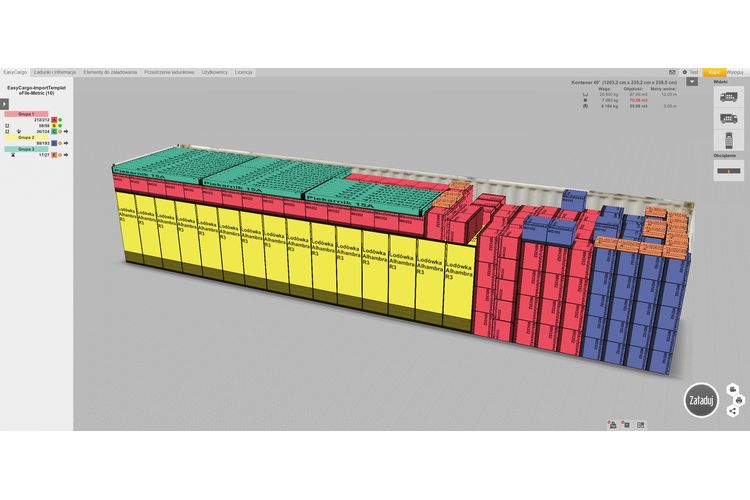
Loading containers and trucks has long been done manually, with pencil and paper, and even today this is a common approach used by many companies and warehouse operators. However, it is a slow, inefficient system that cannot guarantee 100% accuracy. Fortunately, technology and computers have penetrated this field, and today an accurate loading plan can be calculated using a load simulator, saving time and money not only for large shipping companies but also for small family businesses that do not ship cargo very often.
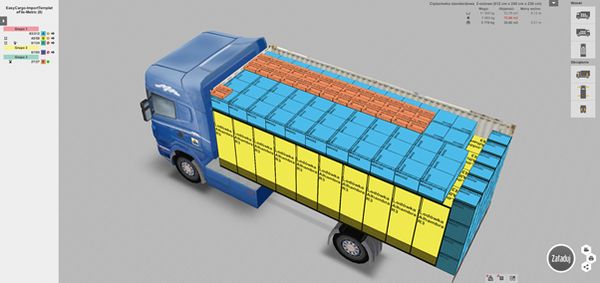
An example of this is the EasyCargo program, which reduces loading time in the warehouse, increases cargo space utilization, and thus lowers transport costs. Thanks to the software, you can find out which truck/container size is suitable and which is not, and select the most optimal solution with one click.
Container and truck loading software
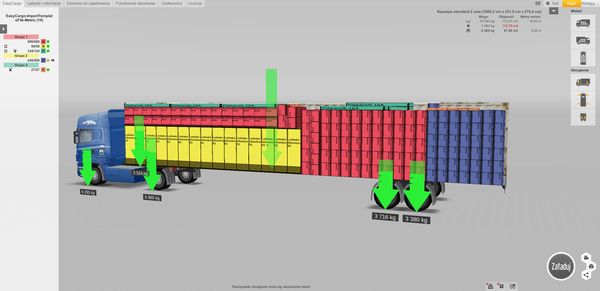
The EasyCargo application, available online, is affordable and very easy to use. An important feature is that it calculates the load per axle. Thanks to this, even before starting the loading process, you can find out not only if the total weight will be exceeded, but also if the goods will be positioned correctly. With this function, you can avoid a situation where, after loading the truck, it turns out after a few minutes on the scale that the weight on the axles exceeds the permissible limits, which involves the necessity of reloading the truck.
EasyCargo is software available online, so it does not require installation: all you need is a web browser and an internet connection. On its website, EasyCargo offers many instructional videos available in 13 different languages; you can also find an FAQ section, a log, and a blog with information from the world of logistics, so it is really easy to get started – you can get a 10-day free version of EasyCargo with all features enabled here.
How does EasyCargo work?
After registering and logging in, you can proceed to create your first load. The user can decide whether the priority is to select items for loading or the space to be loaded. It is possible to use predefined cargo spaces, which can be marked as favorites, or to create your own. Items are added manually, from an available database, or by importing from an Excel sheet. You can also enter various restrictions, such as no stacking, tilting, or rotating, as well as a priority group function, which is very useful in the case of transporting packages/products for different customers that must be unloaded in a specific order.
After finishing the load configuration, you must press the “Load” button, and within a few seconds, a 3D visualization model of the cargo will be displayed. At this stage, you can check the load on each axle.
Another interesting functionality, which is available after finishing sending the data, is located under the camera icon. By clicking on this icon, you can follow the loading process step by step. It is also possible to print each stage of this process.
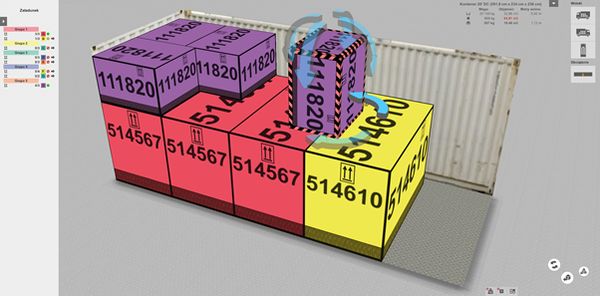
A very popular feature of this software is the ability to manually adjust the load.
EasyCargo for schools
Last year, we started cooperating with schools and created the EasyCargo for schools project. Any school can join the project, both a technical school with a logistics profile and a high school with an economics profile. Schools receive a free annual teacher license and the possibility to activate licenses for all their students twice a year. It is also possible to purchase a license in an educational version on very favorable terms. More information on this topic can be obtained here.
Try EasyCargo for free!
More information is available on our website, we also invite you to freely test the application!