








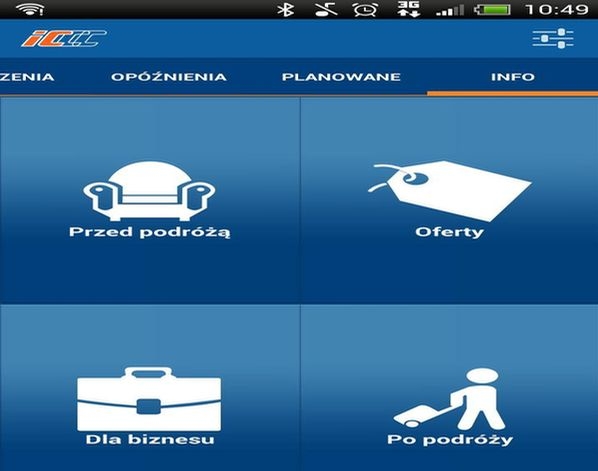
Plan and check – this is how the functions of the first PKP Intercity mobile application can be summarized in short. IC Mobile Navigator provides free access to a connection search engine, shows the train’s location or any potential delays in real-time, and provides information about current offers and promotions. The application will also remember frequently chosen routes and indicate the shortest way to the train station. IC Mobile Navigator works on Android and iOS platforms and supports four language versions.
With the IC Mobile Navigator application provided by the carrier, the passenger not only plans their journey but also monitors its progress. A simple search module is the first step in traveling with PKP Intercity. Along with a list of potential connections, the traveler receives information about, among other things, offered services, carriages, promotions, or the route to the train station. The progress of the journey can be tracked in real-time – the application not only informs about the arrival time at the final station or the extent of any delay but also allows for locating the train on its scheduled route. Previously, passengers could only obtain information about delays from the www.intercity.pl website, where current arrival/departure boards for all train stations in Poland are published in the Infopasażer tab.
The application will be developed further. In the coming months, the tool will be enriched with a module enabling ticket purchases. Since PKP Intercity is the only long-distance rail carrier that honors electronic tickets, combined with the mobile application, purchasing and storing tickets will be possible solely via phone.
– Shortly after the introduction of Infopasażer, voices appeared saying that the system is useful, but passengers would like to use a more mobile version of it. Now, every user of IC Mobile Navigator can check, plan, and monitor their journey on the screen of their smartphone or tablet in real-time – says Beata Czemerajda, acting spokesperson for PKP Intercity.
People who frequently use PKP Intercity trains will appreciate that IC Mobile Navigator offers a function to save frequently chosen connections and update them for subsequent days in case of schedule changes. The application offers users four language versions: Polish, English, Russian, and German.
– In accordance with our announcements, the implementation of the mobile application is another stage of amenities that PKP Intercity is offering to its customers in the coming months. Work on the mobile application has not yet finished. Soon, the system will be supplemented with the ability to make direct ticket purchase transactions – adds Beata Czemerajda.
The carrier welcomed the beginning of the year by implementing a series of improvements in the online ticket sales system. Now, the passenger receives information about the ticket price faster, logging into the system has been moved to the end of the purchase path, and a more transparent ticket refund process has also been made available.
IC Mobile Navigator was created in cooperation with the company Fido Intelligence, which previously created, among others, the “Rafał” bot for PKP Intercity.
– Over two years of successful cooperation with PKP Intercity and knowledge of railway systems allowed us to efficiently create the IC Navigator mobile application – says Grzegorz Rutkiewicz from Fido Intelligence. – We are very pleased that our solutions help in serving the Company’s passengers – previously on the Internet, and now also on mobile devices.
The application has been prepared for the two most popular platforms for mobile devices – Android and iOS. Downloading the IC Mobile Navigator application is free.
How to use the application?
1. Download the application to your mobile device from the App Store or Google Play.
For Android system
For iOS system
2. Enter the departure and arrival station into the search engine, specify the date and time of departure.
3. Select a connection from the proposed list
4. The application will show you how to get to the station, what carriages the train consists of, and whether it is running on time.